

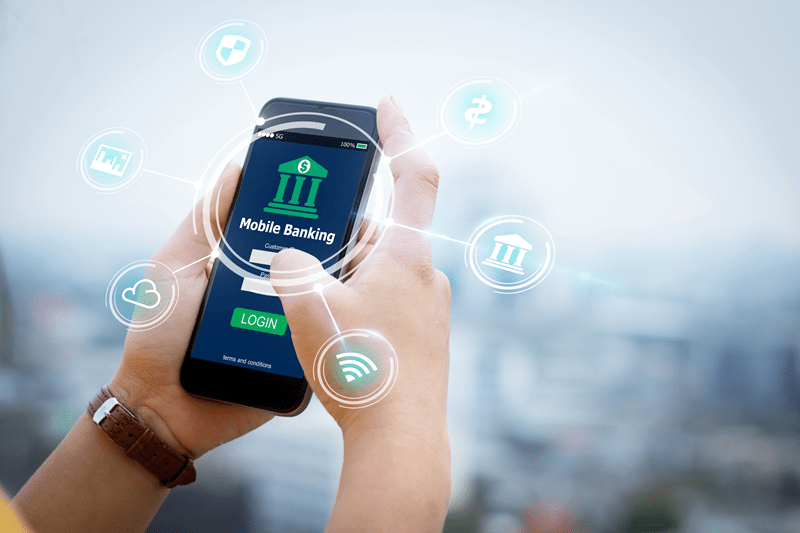
Mobile banking is convenient because it removes friction from everyday money tasks. You can check balances while standing in line, move money between accounts in seconds, and pay bills without opening a laptop. That speed is useful, but it also leaves very little room for mistakes. One wrong tap, one careless login, or one fake message can turn into a real financial loss faster than most people expect.
This article focuses on mobile banking security in a practical, no nonsense way. There are no scare tactics and no technical overload. The goal is simple. To explain what actually puts your money at risk, how those risks show up in real situations, and what steps genuinely help. If you use mobile banking regularly, this will help you use it with more confidence and far less stress.
Most people assume banks handle everything. That is only partly true. Banks secure their systems, but users control the device, the network, and the decisions that open or close the door to attackers.
Mobile banking security fails most often because of everyday behavior, not advanced hacking. Clicking the wrong link. Using weak passwords. Logging in on public WiFi. Ignoring updates.
Mobile banking safety depends on understanding where problems start and stopping them early.
Before getting into solutions, it helps to be clear about the actual threats.
Fraud messages often look legitimate. A text claims your account is locked. An email asks you to verify a transaction. The link leads to a fake login page.
This is still one of the top causes of mobile banking fraud because it relies on urgency, not technical skill.
Malicious apps and infected downloads can monitor keystrokes, capture login details, or redirect payments. This often happens when apps are installed outside official app stores or when phones are not updated.
Public WiFi networks are easy to intercept. Logging into a banking app on an open network puts account data at risk, even if the app itself is secure.
A lost phone without a screen lock is an open door. Even preview notifications can expose sensitive information like one time passwords.
Strong mobile banking security starts before you even open your banking app.
A phone should always have:
If someone can unlock your phone, protecting banking apps becomes much harder.
These secure mobile banking tips focus on what reduces real risk, not what sounds impressive.
Always download banking apps from trusted app stores. Fake banking apps exist and they work because they look real.
Biometrics add a strong layer of protection. Even if someone knows your password, they still cannot access the app easily.
Never reuse banking passwords. A strong password combines letters, numbers, and symbols and is not tied to personal information.
Password managers help with this and reduce the temptation to reuse logins.
Updates fix known security gaps. Skipping them leaves your device exposed to threats that are already documented and exploited.
These secure mobile banking tips alone eliminate a large percentage of common attacks.

Protecting banking apps goes beyond login credentials.
A banking app does not need access to your contacts, microphone, or photos. Review permissions regularly and remove anything unnecessary.
Transaction alerts and verification codes should not appear on a locked screen. This simple setting prevents accidental exposure.
If your banking app supports manual logout, use it when accessing accounts on shared devices or during travel.
Protecting banking apps is about reducing exposure at every layer.
Safe online banking practices are habits, not tools.
Banks do not ask for login details through text or email. If you receive a message, open the app directly instead of using the link.
Check your account activity often. Small unauthorized charges are often test transactions before larger fraud attempts.
The faster fraud is reported, the higher the chance of reversing it. Delays work in favor of attackers.
Safe online banking practices help catch problems early, before they grow.
Preventing mobile banking fraud works best when users assume they are a target, not an exception.
Red flags include:
These are classic fraud patterns.
If you must use public WiFi, avoid financial apps altogether. Cellular data is usually safer for sensitive activity.
Backups should be encrypted. Avoid storing sensitive banking information in unsecured cloud notes or screenshots.
Preventing mobile banking fraud is mostly about slowing down and verifying before acting.
Banks do play a major role in mobile banking safety.
They use:
These systems work best when users do not bypass them through risky behavior.
Mobile banking safety is a shared responsibility.
The strongest security systems fail when users ignore basic precautions. Most mobile banking security incidents trace back to avoidable actions.
Awareness changes outcomes. Knowing how attacks work makes them easier to spot. That alone prevents many losses.
Mobile banking is not unsafe by default. Problems happen when convenience overrides caution.
Strong mobile banking security comes from combining smart bank systems with responsible user habits. Secure mobile banking tips, protecting banking apps properly, and following safe online banking practices make a measurable difference.
You do not need advanced technical knowledge. You need consistency, awareness, and a willingness to pause before clicking or sharing information.
That is what actually protects your money.
Yes. Mobile banking security is strong when users follow basic precautions. Most failures happen due to phishing, weak passwords, or unsafe networks, not broken banking systems.
Preventing mobile banking fraud starts with avoiding suspicious links, using strong authentication, and monitoring transactions regularly. Quick reporting also limits damage.
Enable biometrics, keep your phone updated, limit app permissions, and avoid public WiFi. These steps significantly improve mobile banking safety.
This content was created by AI